Databricks Delta Sharing
You can provide Sundial read-only access to your existing Databricks Schemas and Tables. Access should preferably be given by Delta Sharing.
Initial setup includes the following steps:
- Enable Delta Sharing for a Databricks account.
- Enable Delta Sharing on a Unity Catalog metastore.
1. Enable Delta Sharing for your account
To use Delta Sharing to share data securely with external recipients, an account admin must enable the External Data Sharing feature group for your Databricks account.
- As a Databricks account admin, log in to the account console.
- In the sidebar, click Settings.
- Go to the Feature enablement tab.
- On the External Data Sharing Feature Group row, click the Enable button.
Click the Terms link to review the applicable terms for Delta Sharing. Clicking Enable represents acceptance of these terms.
2. Enable Delta Sharing on a metastore
Follow these steps for each Unity Catalog metastore that manages data that you plan to share using Delta Sharing.
You do not need to enable Delta Sharing on your metastore if you intend to use Delta Sharing only to share data with users on other Unity Catalog metastores in your account. Metastore-to-metastore sharing within a single Databricks account is enabled by default.
-
As a Databricks account admin, log in to the account console.
-
In the sidebar, click Data.
-
Click the name of a metastore to open its details.
-
Click the checkbox next to Enable Delta Sharing to allow a Databricks user to share data outside their organisation.
-
Configure the recipient token lifetime.
This configuration sets the period of time after which all recipient tokens expire and must be regenerated. Recipient tokens are used only in the open sharing protocol. Databricks recommends that you configure a default token lifetime rather than allow tokens to live indefinitely.
infoThe recipient token lifetime for existing recipients is not updated automatically when you change the default recipient token lifetime for a metastore. In order to apply a new token lifetime to a given recipient, you must rotate their token. See Manage recipient tokens (open sharing).
To set the default recipient token lifetime:
-
Confirm that Set expiration is enabled (this is the default).
If you clear this checkbox, tokens will never expire. Databricks recommends that you configure tokens to expire.
-
Enter a number of seconds, minutes, hours, or days, and select the unit of measure.
-
Click Enable.
For more information, see Security considerations for tokens.
-
-
Optionally enter a name for your organization that a recipient can use to identify who is sharing with them.
-
Click Enable.
Steps to Enable Delta Sharing for Azure Databricks
In case of Azure Databricks, follow the steps below:
-
Log in to the Azure Databricks account console.
-
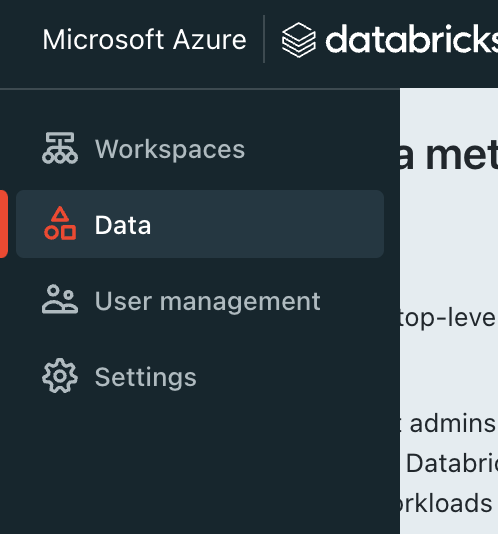
In the sidebar, click Data.
-
Click the name of a metastore to open its details.
-
Click the checkbox next to "Enable Delta Sharing to allow a Databricks user to share data outside their organization".
-
Configure the recipient token lifetime. This configuration sets the period of time after which all recipient tokens expire and must be regenerated.
To set the default recipient token lifetime:
- Confirm that Set expiration is enabled (this is the default).
- If you clear this checkbox, tokens will never expire. Sundial recommends that you configure tokens to expire and rotate after few months.
- Enter a number of seconds, minutes, hours, or days, and select the unit of measure.
- Click Enable.
- Confirm that Set expiration is enabled (this is the default).
-
Enter a name for your organization that a recipient can use to identify the sharer.
-
Click Enable.
Refer to this link for more information.
Credentials to be shared with Sundial
Generate the following key-value pairs and upload this as a json file in the connector creation form if enabled. Otherwise, share the following information with Sundial via a secure vault or secrets store.
{
    "shareCredentialsVersion": "<Version Number of Delta Sharing Credentials Shared>",
    "bearerToken": "<Unique Bearer Token to authenticate>",
    "endpoint": "<Link to Delta Sharing Endpoint to Connect>",
    "expirationTime": "<Expiration time of credentials>"
}
Additionally, share the below details:
Database Name: The name of the database that you have provided access to
Share Name: The name of the share that you have provided access to